Have you ever searched for a product on Google and noticed the first few results marked as Sponsored? Those are Google Ads. Businesses use them to reach people who are already looking for their products or services.
This Google Ads Guide will help you understand how Google Ads works and how to use it to grow your business. Whether you own a small business, manage an online store, or work as a digital marketer, this guide explains everything in simple words.
By the end of this guide, you will learn how to create campaigns, choose the right keywords, manage your budget, improve conversions, and maximize your return on investment (ROI).
What Is Google Ads?
Google Ads is Google’s online advertising platform. It allows businesses to display ads on Google Search, YouTube, Google Maps, Gmail, and millions of partner websites.
Unlike traditional advertising, Google Ads shows your message to people who are actively searching for products or services like yours. As a result, your business reaches users who already have buying intent.
For example, imagine you own a bakery in Hyderabad. When someone searches for “best birthday cakes near me,” your ad can appear at the top of the search results. If the person clicks your ad, they can visit your website, call your shop, or get directions.
This targeted approach makes Google Ads one of the most effective digital marketing tools available today.
Why Businesses Use Google Ads?
Many businesses invest in Google Ads because it delivers measurable results. Instead of waiting months for organic rankings, companies can start getting visitors almost immediately.
Here are some of the biggest benefits.
Reach Customers at the Right Time
Google Ads connects you with people who are already searching for your products or services. Therefore, your chances of getting qualified leads increase significantly.
Fast Results
SEO takes time. However, Google Ads can start driving traffic as soon as your campaign is approved.
Flexible Budget
One of the best things about Google Ads is that you decide how much to spend. Whether your daily budget is ₹500 or ₹50,000, you remain in complete control.
Detailed Performance Reports
Google Ads provides detailed insights, including:
- Clicks
- Impressions
- Cost per click (CPC)
- Conversion rate
- Cost per conversion
- Return on ad spend (ROAS)
These reports help you improve campaign performance over time.
Local and Global Reach
You can advertise within a single city, multiple states, or worldwide. This flexibility makes Google Ads suitable for both local businesses and international brands.
How Does Google Ads Work?
Many beginners think the highest bidder always gets the top position. In reality, Google uses several factors before displaying an advertisement.
The process is simple.
Step 1: Someone Searches on Google
A user types a search query such as:
- Best CRM software
- Emergency plumber near me
- Digital marketing agency
- Running shoes online
Google immediately looks for relevant advertisers.
Step 2: Google Runs an Ad Auction
Every search triggers an auction.
Google compares advertisers bidding on similar keywords.
However, winning depends on more than your bid amount.
Google also considers:
- Ad relevance
- Expected click-through rate
- Landing page quality
- User experience
- Quality Score
Because of this, businesses with better ads often pay less than competitors with poor-quality campaigns.
Step 3: Ads Appear
Google displays the ads that provide the best overall value for users.
Usually, users see:
- Sponsored Ads
- Organic Search Results
- Local Listings
- Shopping Ads
The better your campaign quality, the higher your chances of appearing near the top.
Understanding Pay-Per-Click (PPC)
Google Ads mainly works on a Pay-Per-Click (PPC) model.
This means you pay only when someone clicks your advertisement.
For example:
- Daily Budget: ₹2,000
- Cost Per Click: ₹20
- Potential Clicks: 100
If nobody clicks your ad, you generally do not pay for those impressions in Search campaigns.
As a result, businesses spend money only when users engage with their ads.
Google Ads vs SEO
Many business owners ask whether they should invest in SEO or Google Ads.
The answer depends on their goals.
| Feature | Google Ads | SEO |
| Results | Immediate | Long-term |
| Cost | Pay for clicks | No cost per click |
| Traffic | Stops when budget ends | Continues over time |
| ROI | Fast | Sustainable |
| Best For | Quick leads | Long-term growth |
The most successful businesses combine both strategies. Google Ads generates immediate traffic, while SEO builds lasting visibility.
Who Should Use Google Ads?
Almost every business can benefit from Google Ads when campaigns are planned correctly.
Examples include:
Local Businesses
Examples:
- Restaurants
- Salons
- Dentists
- Clinics
- Gyms
- Interior designers
These businesses can attract nearby customers searching for their services.
E-commerce Stores
Online stores use Google Ads to promote:
- Electronics
- Clothing
- Jewelry
- Furniture
- Home appliances
Shopping campaigns often generate excellent results because users can view product images, prices, and reviews before clicking.
B2B Companies
Businesses selling software, consulting services, or enterprise solutions use Google Ads to generate qualified leads.
Examples include:
- CRM software
- HR software
- Cloud services
- Cybersecurity
- Healthcare technology
Service Providers
Professionals such as:
- Lawyers
- Chartered accountants
- Insurance agents
- Architects
- Real estate consultants
can reach customers exactly when they need their services.
Different Types of Google Ads Campaigns
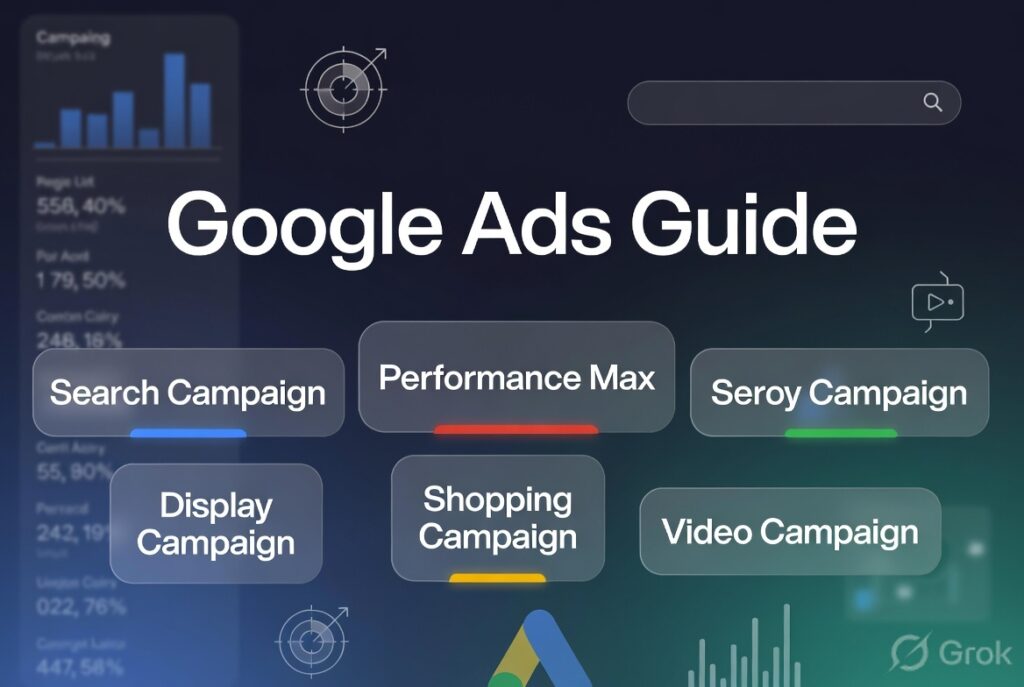
Google offers several campaign types. Choosing the right one depends on your business goals.
1. Search Campaigns
Search campaigns display text ads on Google’s search results page.
They are ideal for businesses that want leads, inquiries, or website visits.
Best for:
- Service businesses
- Local companies
- SaaS
- Healthcare
- B2B
2. Display Campaigns
Display campaigns show image ads across millions of websites in Google’s Display Network.
These campaigns help increase brand awareness and reach a wider audience.
3. Shopping Campaigns
Shopping Ads display:
- Product image
- Price
- Store name
- Reviews
They work especially well for e-commerce businesses selling physical products.
4. Video Campaigns
Video campaigns appear on YouTube before, during, or after videos.
Businesses use them to:
- Build brand awareness
- Launch new products
- Explain services
- Increase engagement
5. Performance Max Campaigns
Performance Max uses Google’s artificial intelligence to deliver ads across multiple channels, including:
- Search
- Display
- YouTube
- Gmail
- Discover
- Maps
It automatically finds customers who are most likely to convert based on your campaign goals.
Why Google Ads Continues to Grow?
Google processes billions of searches every day. Every search represents a potential customer looking for information, products, or services.
Instead of interrupting users with unwanted advertisements, Google Ads helps businesses appear when people are actively searching for solutions. This intent-driven approach is one of the biggest reasons why Google Ads continues to deliver strong results for businesses of all sizes.
Moreover, new AI-powered features in 2026 make campaign management easier while still giving advertisers control over budgets, targeting, and performance.
How to Create a Google Ads Account?
Before you can advertise, you need a Google Ads account.
Follow these simple steps.
Step 1: Sign In
Visit the Google Ads website and sign in with your Google account.
If you do not already have one, create a free Google account first.
Step 2: Switch to Expert Mode
Google often suggests a simplified setup for beginners. However, Expert Mode gives you full control over your campaigns.
With Expert Mode, you can:
- Choose campaign types
- Select bidding strategies
- Add keyword match types
- Track conversions
- Optimize campaigns effectively
For long-term success, Expert Mode is the better choice.
Step 3: Set Up Billing
Google Ads requires a valid payment method before your ads can run.
You can choose from options such as:
- Credit card
- Debit card
- Bank account (available in some countries)
- Automatic payments
- Manual payments (in selected regions)
Set a budget that matches your marketing goals and overall business plan.
Choose the Right Campaign Objective
Every successful campaign starts with a clear goal.
Google Ads offers several campaign objectives, each designed to achieve a different result.
Sales
Choose this objective if your goal is to increase online purchases or product sales.
Best for:
- E-commerce stores
- Retail businesses
- Online marketplaces
Leads
Lead generation campaigns encourage users to:
- Fill out a contact form
- Request a quote
- Book an appointment
- Call your business
Best for:
- Healthcare providers
- Real estate agencies
- Law firms
- Insurance companies
- Digital marketing agencies
Website Traffic
If you want more visitors to your website, this objective is a good choice.
However, traffic alone does not guarantee sales. Make sure your landing page encourages users to take action.
Brand Awareness and Reach
These campaigns introduce your business to a larger audience.
They are especially useful for:
- New businesses
- Product launches
- Local brand awareness
- Seasonal promotions
App Promotion
If your business has a mobile application, this campaign type encourages users to install and use it.
Select the Best Campaign Type
After choosing your objective, Google asks you to select a campaign type.
Here are the most common options.
Search Campaign
Search campaigns display text ads when users search on Google.
Best for:
- Lead generation
- Local services
- B2B companies
- Professional services
Example
A user searches:
“Best pediatric clinic near me”
If your clinic has a Search campaign targeting this keyword, your ad may appear above the organic search results.
Display Campaign
Display campaigns show image ads across Google’s Display Network.
These ads help increase brand visibility even when users are not actively searching.
Best for:
- Brand awareness
- Remarketing
- Product promotions
Shopping Campaign
Shopping Ads display:
- Product image
- Product title
- Price
- Store name
- Ratings
These campaigns work well for online stores selling physical products.
Video Campaign
Video campaigns display ads on YouTube.
They can appear:
- Before videos
- During videos
- After videos
- In YouTube search results
Video ads are excellent for storytelling and product demonstrations.
Performance Max Campaign
Performance Max uses Google’s AI to display ads across:
- Google Search
- YouTube
- Gmail
- Maps
- Discover
- Display Network
This campaign type works well when you have enough conversion data and want to maximize reach.
Location Targeting
One of Google Ads’ biggest strengths is location targeting.
Instead of showing ads everywhere, you can target specific locations where your customers live or work.
For example, you can target:
- One city
- Multiple cities
- A state
- A country
- A specific radius around your business
Example
A dental clinic in Hyderabad should target people within its service area instead of the entire country. This helps reduce wasted ad spend and increases the chances of attracting nearby patients.
Language Targeting
Google Ads also lets you choose the languages your audience speaks.
If your website is in English, select English as the primary language.
If you serve multilingual customers, include additional languages relevant to your audience.
Audience Targeting
Keywords are important, but understanding your audience is equally essential.
Google Ads allows you to target users based on:
- Interests
- Online behavior
- Purchase intent
- Demographics
- Previous website visits
- Life events
This helps you show ads to people who are more likely to become customers.
Google Ads Keyword Research
Keyword research is one of the most important parts of any Google Ads Guide because it determines when and where your ads appear.
A keyword is the word or phrase users type into Google when searching for information.
Examples
A user may search for:
- Best running shoes
- SEO services
- Emergency electrician
- Pediatric clinic near me
- Digital marketing agency
If these keywords match your campaign, your ad can appear in the search results.
Why Keyword Research Matters?
Choosing the right keywords helps you:
- Reach the right audience
- Improve click-through rates
- Increase conversions
- Lower advertising costs
- Improve Quality Score
On the other hand, poor keyword selection can waste your budget on irrelevant clicks.
How to Find the Right Keywords?
There are several effective ways to discover high-performing keywords.
Think Like Your Customer
Ask yourself:
- What problem does my customer have?
- What would they type into Google?
- What solution am I offering?
For example, instead of targeting only “lawyer,” consider more specific searches such as:
- Divorce lawyer near me
- Property lawyer in Hyderabad
- Family lawyer consultation
These searches show stronger purchase intent.
Use Google Keyword Planner
Google Keyword Planner helps you discover:
- Monthly search volume
- Competition level
- Estimated cost per click
- Related keyword ideas
It is one of the best free tools for planning Google Ads campaigns.
Analyze Competitors
Study competitors to identify:
- Keywords they target
- Landing pages they use
- Ad messaging
- Calls to action
This research can inspire new keyword ideas and reveal gaps in your own strategy.
Focus on Search Intent
Not every keyword has the same purpose.
Understanding search intent helps you choose keywords that match what users want.
Informational Intent
Users want information.
Examples:
- What is Google Ads?
- How does PPC work?
- Google Ads Guide
These keywords are ideal for blog content.
Commercial Intent
Users are comparing products or services.
Examples:
- Best CRM software
- Best Google Ads agency
- Top email marketing platforms
These users are closer to making a decision.
Transactional Intent
Users are ready to buy.
Examples:
- Buy office chairs online
- Hire SEO consultant
- Book dentist appointment
These keywords often produce the highest conversion rates.
Use Long-Tail Keywords
Long-tail keywords contain three or more words and are more specific than broad keywords.
Broad Keyword
Digital marketing
Long-Tail Keyword
Affordable digital marketing agency for small businesses
Long-tail keywords usually:
- Have lower competition
- Cost less per click
- Generate better-quality leads
- Convert more often
Although they may have lower search volume, they often deliver a better return on investment because they match user intent more closely.
Example Keyword Plan
Imagine you own a digital marketing agency.
| Primary Keyword | Long-Tail Keyword |
| SEO services | SEO services for small businesses |
| Google Ads | Google Ads management for healthcare |
| PPC agency | Affordable PPC agency near me |
| Digital marketing | Digital marketing company for startups |
Using a mix of primary and long-tail keywords creates a balanced campaign that reaches both broad and highly targeted audiences.
Understanding Google Ads Keyword Match Types
Keyword match types tell Google how closely a user’s search should match your keyword before your ad is shown.
Choosing the right match type helps you:
- Reach the right audience
- Avoid irrelevant clicks
- Improve conversion rates
- Reduce wasted ad spend
- Increase your return on investment (ROI)
Google Ads offers three primary keyword match types.
1. Broad Match
Broad Match is the default option in Google Ads.
With Broad Match, Google can show your ad for searches related to your keyword, including synonyms, similar phrases, and searches with the same intent.
Example
Keyword
running shoes
Your ad may appear for searches like:
- Best sports shoes
- Athletic footwear
- Jogging shoes
- Sneakers for running
Advantages
- Reaches a larger audience
- Discovers new keyword opportunities
- Requires less keyword management
Disadvantages
- Can attract irrelevant traffic
- May increase advertising costs
- Often needs a strong negative keyword list
Broad Match works best when combined with Smart Bidding and conversion tracking.
2. Phrase Match
Phrase Match offers more control than Broad Match.
Your keyword’s meaning must remain the same, although additional words can appear before or after it.
Example
Keyword
“SEO services”
Possible searches include:
- Affordable SEO services
- SEO services near me
- SEO services for healthcare
- Professional SEO services
Phrase Match balances reach and relevance, making it a popular choice for many advertisers.
3. Exact Match
Exact Match provides the highest level of control.
Google shows your ad only when the user’s search has the same meaning or intent as your keyword.
Example
Keyword
[Google Ads agency]
Possible searches include:
- Google Ads agency
- Best Google Ads agency
- Google Ads management agency
Exact Match usually delivers:
- Higher conversion rates
- Better click quality
- Lower wasted spend
However, it reaches fewer people than Broad Match.
Which Match Type Should You Choose?
The best choice depends on your campaign goals.
| Match Type | Reach | Relevance | Best For |
| Broad Match | High | Medium | Brand awareness and discovering new keywords |
| Phrase Match | Medium | High | Most lead generation campaigns |
| Exact Match | Lower | Very High | High-intent keywords and sales campaigns |
Many successful advertisers combine all three match types while monitoring performance regularly.
What Are Negative Keywords?
Negative keywords tell Google when not to show your ads.
They help prevent your ads from appearing in irrelevant searches.
As a result, you spend less money on unqualified clicks.
Example
Suppose you sell premium CRM software.
Your campaign targets:
CRM software
Without negative keywords, your ad might appear for searches such as:
- Free CRM software
- CRM software jobs
- CRM software tutorial
- CRM software course
These users are unlikely to buy your product.
By adding negative keywords like:
- Free
- Jobs
- Tutorial
- Course
you ensure your budget focuses on potential customers.
Benefits of Negative Keywords
Adding negative keywords can:
- Improve click-through rate (CTR)
- Increase conversion rates
- Reduce cost per click (CPC)
- Improve Quality Score
- Eliminate wasted ad spend
Review your Search Terms Report regularly to find new negative keywords.
Writing High-Converting Google Ads
Even with excellent keywords, poor ad copy can reduce your campaign’s success.
Your ad should quickly answer the user’s question and encourage them to click.
A strong ad includes:
- An attention-grabbing headline
- A clear benefit
- Relevant keywords
- A compelling call to action
- Trust-building elements
Best Practices for Writing Headlines
Your headline is the first thing users notice.
Include your primary keyword naturally whenever possible.
Good Examples
- Affordable SEO Services
- Google Ads Management Experts
- Book a Free Consultation
- Digital Marketing That Delivers Results
- Increase Website Leads Today
These headlines clearly explain the offer while encouraging users to learn more.
Write Benefit-Focused Descriptions
Instead of listing features, explain how your service helps customers.
Weak Description
We provide digital marketing services.
Better Description
Grow your business with data-driven digital marketing strategies. Get a free consultation and start generating more qualified leads today.
The second version focuses on the customer’s outcome rather than the company’s service.
Include a Strong Call to Action (CTA)
A call to action tells users what to do next.
Effective CTAs include:
- Get Started Today
- Request a Free Quote
- Book Your Demo
- Schedule a Consultation
- Contact Our Experts
- Shop Now
- Learn More
A clear CTA can significantly improve click-through and conversion rates.
Use Ad Assets (Formerly Extensions)
Ad Assets provide additional information that makes your ad more useful and noticeable.
Common assets include:
Sitelink Assets
Direct users to important pages such as:
- Pricing
- Services
- About Us
- Contact
Call Assets
Display your phone number so users can call directly from the search results.
This feature is especially valuable for local businesses.
Location Assets
Show your business address and Google Maps location.
These assets help nearby customers find your business quickly.
Callout Assets
Highlight unique selling points such as:
- Free Shipping
- 24/7 Support
- Certified Experts
- No Hidden Fees
- 10+ Years of Experience
Structured Snippet Assets
Display categories such as:
- Services
- Brands
- Products
- Destinations
These assets provide additional information without increasing ad costs.
Create Landing Pages That Convert
A great ad is only half the job.
After clicking, users should arrive on a landing page that matches the promise made in the advertisement. If your landing page is confusing or slow, visitors may leave without taking action.
Keep the Message Consistent
Your landing page should match the wording in your ad.
Example
Ad Headline
Affordable Google Ads Management
Landing Page Heading
Affordable Google Ads Management Services
Consistency reassures visitors they are in the right place.
Write a Clear Headline
The first heading should explain exactly what you offer.
Avoid vague phrases.
Weak Example
Welcome to Our Website
Better Example
Google Ads Management Services That Increase Qualified Leads
Highlight Benefits
Visitors want to know how your service solves their problems.
Instead of simply listing features, explain the value.
Features
- Campaign management
- Keyword research
- Weekly reports
Benefits
- Lower advertising costs
- Better-quality leads
- Increased conversions
- Transparent reporting
- Higher return on investment
Benefits motivate users to take action.
Add Trust Signals
People are more likely to contact businesses they trust.
Include:
- Customer testimonials
- Reviews
- Certifications
- Awards
- Case studies
- Client logos
- Years of experience
These trust signals reduce hesitation and increase credibility.
Make Contact Easy
Do not make visitors search for your contact details.
Include:
- Contact form
- Phone number
- Email address
- WhatsApp button
- Live chat (if available)
The easier it is to contact you, the higher your conversion rate.
Improve Page Speed
A slow website can reduce conversions significantly.
To improve loading speed:
- Compress images
- Minify CSS and JavaScript files
- Enable browser caching
- Use a Content Delivery Network (CDN)
- Choose reliable web hosting
Fast-loading pages create a better user experience and support higher Google Ads Quality Scores.
Optimize for Mobile Devices
Most Google searches now happen on mobile devices.
Your landing page should:
- Load quickly
- Display correctly on all screen sizes
- Use readable fonts
- Have clickable buttons
- Offer simple navigation
A mobile-friendly page improves both user experience and campaign performance.
Mini Case Study
A local home cleaning company was receiving many ad clicks but very few inquiries. After reviewing the campaign, they made three key changes:
- Added negative keywords such as free, jobs, and training
- Rewrote ad headlines to focus on customer benefits
- Redesigned the landing page with a simple contact form and customer testimonials
Within six weeks, the results improved significantly:
- 32% higher click-through rate (CTR)
- 27% lower cost per lead
- 48% more service inquiries
This example shows that small improvements across keywords, ads, and landing pages can produce meaningful business results.
Key Takeaways
Successful Google Ads campaigns depend on more than choosing the right keywords. Using appropriate match types, adding negative keywords, writing persuasive ads, and creating optimized landing pages all contribute to better performance.
When these elements work together, you can attract more qualified visitors, improve conversions, and maximize your advertising budget.
What Is Google Ads Quality Score?
Quality Score is Google’s rating of the quality and relevance of your keywords, ads, and landing pages. It is scored on a scale from 1 to 10, with 10 being the highest.
A higher Quality Score can help you:
- Lower your cost per click (CPC)
- Improve your ad position
- Increase click-through rates (CTR)
- Get more value from your advertising budget
In simple terms, Google rewards advertisers who provide a better experience for users.
Factors That Affect Quality Score
Google considers three main factors.
- Expected Click-Through Rate (CTR)
Google estimates how likely users are to click your ad.
To improve CTR:
- Write clear headlines.
- Include your primary keyword naturally.
- Highlight your unique selling points.
- Add a strong call to action.
- Ad Relevance
Your ad should closely match the user’s search intent.
For example, if someone searches for “Google Ads management services,” your ad should focus on Google Ads management rather than general digital marketing.
Relevant ads usually perform better.
- Landing Page Experience
After users click your ad, they should find useful and relevant information.
A high-quality landing page should:
- Load quickly
- Be mobile-friendly
- Match the ad message
- Include clear headings
- Make it easy to take action
A positive landing page experience can improve both Quality Score and conversions.
Understanding Google Ads Bidding Strategies
Google Ads offers different bidding strategies based on your campaign goals.
Choosing the right strategy can improve results while keeping costs under control.
Manual CPC
With Manual Cost Per Click (CPC), you set the maximum amount you are willing to pay for each click.
Best for:
- Beginners
- Small campaigns
- Businesses that want complete control
Maximize Clicks
This automated strategy aims to generate the highest possible number of clicks within your budget.
Best for:
- Increasing website traffic
- Brand awareness campaigns
Maximize Conversions
Google automatically adjusts bids to help you generate more conversions.
Best for:
- Businesses with conversion tracking enabled
- Lead generation campaigns
- E-commerce stores
Target CPA (Cost Per Acquisition)
Google tries to achieve conversions at your target cost.
Best for:
- Businesses with historical conversion data
- Campaigns focused on lead generation
Target ROAS (Return on Ad Spend)
Google optimizes bids to maximize revenue based on your desired return.
Best for:
- Online stores
- Retail businesses
- High-volume e-commerce campaigns
How to Set the Right Google Ads Budget?
One of the biggest advantages of Google Ads is budget flexibility.
You can start with a small daily budget and increase it as your campaigns perform better.
Budget Planning Tips
- Start with a realistic daily budget.
- Monitor campaign performance every week.
- Increase spending only on campaigns that deliver positive results.
- Pause ads with poor performance.
- Allocate more budget to high-converting keywords.
Instead of increasing your budget immediately, focus on improving campaign quality first.
Set Up Conversion Tracking
Without conversion tracking, you cannot accurately measure campaign success.
Conversion tracking shows what users do after clicking your ad.
Common conversions include:
- Form submissions
- Phone calls
- Product purchases
- Newsletter sign-ups
- Appointment bookings
- Downloads
By tracking conversions, you can identify which keywords, ads, and campaigns generate the best results.
Important Metrics to Monitor
Successful advertisers review campaign performance regularly.
Pay close attention to these metrics.
| Metric | Why It Matters |
| Click-Through Rate (CTR) | Measures how often users click your ad |
| Cost Per Click (CPC) | Shows how much each click costs |
| Conversion Rate | Indicates how many visitors become customers |
| Cost Per Conversion | Helps evaluate campaign profitability |
| Return on Ad Spend (ROAS) | Measures revenue generated from advertising |
| Impression Share | Shows how often your ads appear compared to competitors |
Reviewing these metrics weekly helps you identify opportunities for improvement.
Google Ads Optimization Tips
Optimization is an ongoing process. Even successful campaigns require regular updates.
Here are some practical ways to improve performance.
Review Search Terms
Search Terms Reports reveal the exact phrases users typed before clicking your ad.
Use these reports to:
- Add new high-performing keywords
- Identify irrelevant searches
- Expand your negative keyword list
Test Multiple Ad Variations
Create different versions of your ads to discover which messages perform best.
Test variations of:
- Headlines
- Descriptions
- Calls to action
- Display URLs
Over time, small improvements can lead to significant gains.
Improve Landing Pages
Your landing page should always match the ad’s promise.
Regularly test:
- Headlines
- Images
- Contact forms
- Button text
- Page layout
Better landing pages often improve conversion rates without increasing your advertising budget.
Monitor Competitors
Competitor research can help you:
- Discover new keyword opportunities
- Improve ad copy
- Refine pricing strategies
- Identify market trends
Avoid copying competitors directly. Instead, learn from their strengths and create a unique value proposition.
Use Audience Insights
Google Ads provides audience data that can help you understand:
- Age groups
- Locations
- Devices
- Interests
- Purchase behavior
These insights allow you to refine targeting and improve campaign efficiency.
Common Google Ads Mistakes to Avoid
Many advertisers make the same mistakes, especially when starting out.
Avoid these common issues.
Choosing Broad Keywords Only
Broad keywords can attract irrelevant traffic.
Instead, combine Broad Match with Phrase Match, Exact Match, and negative keywords.
Ignoring Negative Keywords
Without negative keywords, you may pay for clicks that never convert.
Review your Search Terms Report regularly and update your negative keyword list.
Sending Traffic to the Homepage
Your homepage may not address the user’s specific search intent.
Instead, send visitors to a dedicated landing page that matches the ad.
Forgetting Mobile Optimization
A large share of Google searches comes from mobile devices.
Ensure that your website loads quickly and displays correctly on smartphones and tablets.
Not Tracking Conversions
Without conversion tracking, you cannot determine which campaigns generate real business results.
Always set up conversion tracking before increasing your advertising budget.
Case Study: Improving Google Ads Performance
A small online furniture store wanted to increase sales while reducing advertising costs.
Challenges
- High cost per click
- Low conversion rate
- Poor Quality Score
- Irrelevant traffic
Actions Taken
The marketing team:
- Added more than 100 negative keywords.
- Switched important keywords to Phrase Match and Exact Match.
- Improved landing page speed.
- Added customer reviews and trust badges.
- Tested three new ad headlines.
Results After Two Months
- 38% increase in conversions
- 24% lower cost per click
- 41% higher click-through rate
- 30% improvement in return on ad spend (ROAS)
This example demonstrates how consistent optimization can improve campaign performance without dramatically increasing the advertising budget.
Frequently Asked Questions
1.Is Google Ads suitable for small businesses?
Yes. Google Ads allows businesses of all sizes to start with a budget that fits their needs. Small businesses can target local customers and scale campaigns as they grow.
2. How much does Google Ads cost?
There is no fixed cost. Your expenses depend on factors such as your industry, competition, keywords, bidding strategy, and daily budget.
3. How long does it take to see results?
Most campaigns begin generating impressions and clicks within a day after approval. However, meaningful optimization usually takes a few weeks of testing and data analysis.
4. Which campaign type is best for beginners?
Search campaigns are often the best starting point because they target users who are actively searching for products or services.
5. Should I use Google Ads and SEO together?
Yes. Google Ads delivers immediate traffic, while SEO builds long-term organic visibility. Combining both strategies creates a stronger digital marketing approach.
6. How often should I optimize my campaigns?
Review campaign performance at least once a week. Larger accounts may benefit from more frequent monitoring, while monthly reviews can help identify long-term trends.
Conclusion
Google Ads remains one of the most effective ways to reach customers who are actively searching for products and services. With the right strategy, it can generate qualified leads, increase sales, and deliver measurable results.
Success starts with choosing the right campaign objectives, targeting the correct audience, conducting thorough keyword research, and writing relevant ads. It also depends on improving landing pages, monitoring Quality Score, tracking conversions, and optimizing campaigns based on performance data.
Remember that Google Ads is not a “set it and forget it” platform. Continuous testing and refinement are essential for achieving the best results over time.
Whether you run a local business, an online store, or a growing enterprise, following the best practices in this Google Ads Guide will help you build campaigns that deliver long-term value and sustainable growth.
Ready to get better results from your advertising budget?
Our Google Ads specialists can help you create high-performing campaigns that attract qualified leads, reduce unnecessary spending, and increase your return on investment. Whether you are launching your first campaign or optimizing an existing one, we provide data-driven strategies tailored to your business goals.
Contact AdsnSEO digital marketing today for a free Google Ads consultation and start turning more clicks into customers.
interesting content
Thankyou